Inventory Management Software: Features & Selection Guide
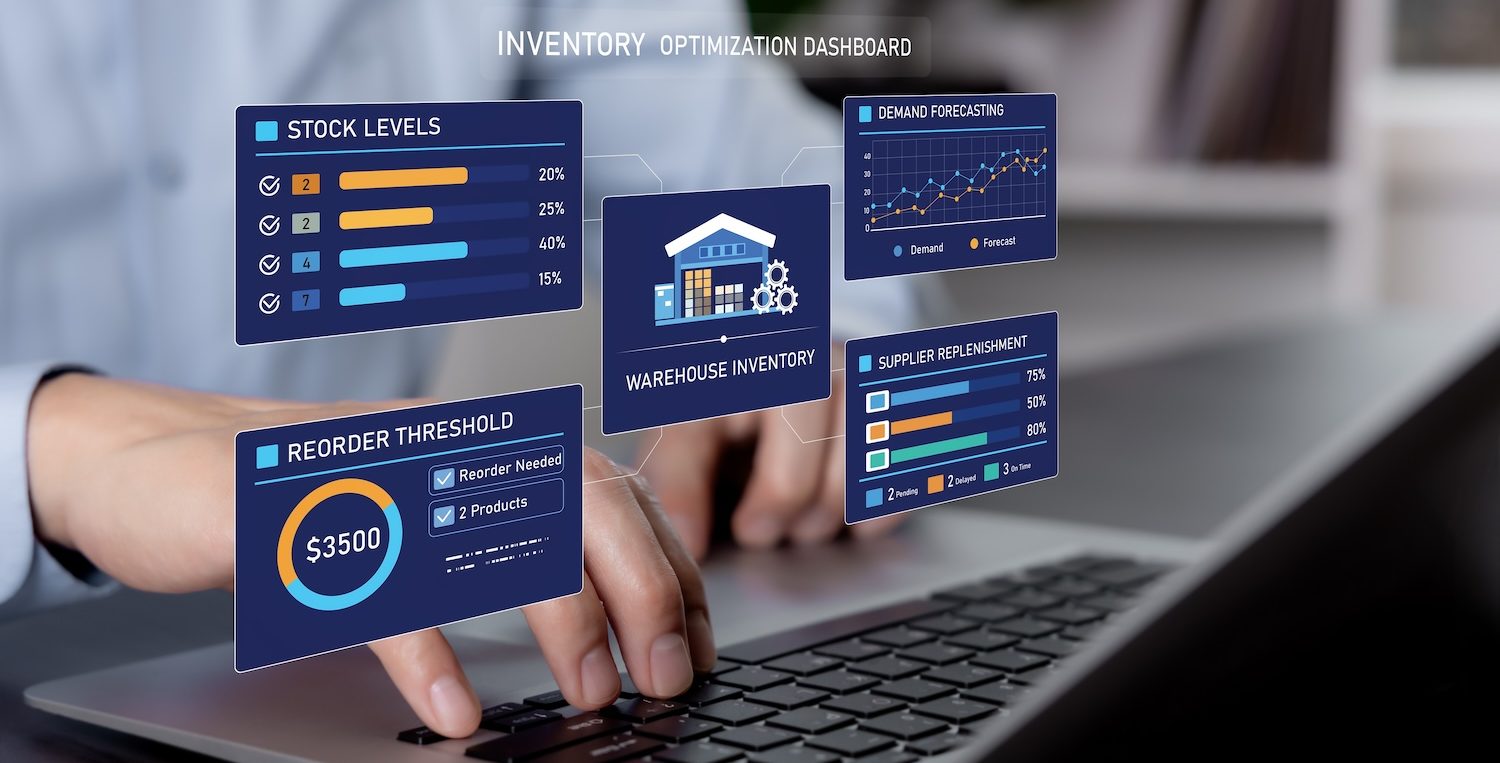
Managing inventory becomes more complex as order volumes increase, SKU counts grow, and warehouse operations depend on faster, more accurate fulfillment.
When stock information is managed manually or spread across disconnected systems, it becomes harder to know what is available, where products are stored, and when inventory needs to be replenished. This can lead to stockouts, excess inventory, picking delays, and higher operating costs.
Inventory management software helps businesses improve inventory visibility, reduce manual work, and make better decisions based on real-time data.
In this guide, we will:
- Cover the key features of inventory management software
- Explain common warehouse processes supported by inventory management software and WMS platforms
- Review what to consider when choosing the right inventory management system
- Explain how Modula’s warehouse management system supports inventory control, warehouse visibility, and automated storage workflows
Need a reliable inventory management software?
What Is Inventory Management Software?
Inventory management software is a digital tool that helps businesses track, manage, and control inventory across one or more locations.
It gives teams visibility into stock levels, item locations, inventory movement, order activity, and replenishment needs.
Instead of relying on manual counts, spreadsheets, or disconnected systems, businesses can use inventory data to make faster and more accurate decisions.
In a warehouse environment, inventory management software is often connected to broader warehouse management processes, such as receiving, put-away, picking, packing, shipping, and replenishment.
For more advanced operations, a warehouse management system, or WMS, can help connect inventory control with the physical workflows that move products through the facility.
10 Core Features of Inventory Management Solutions
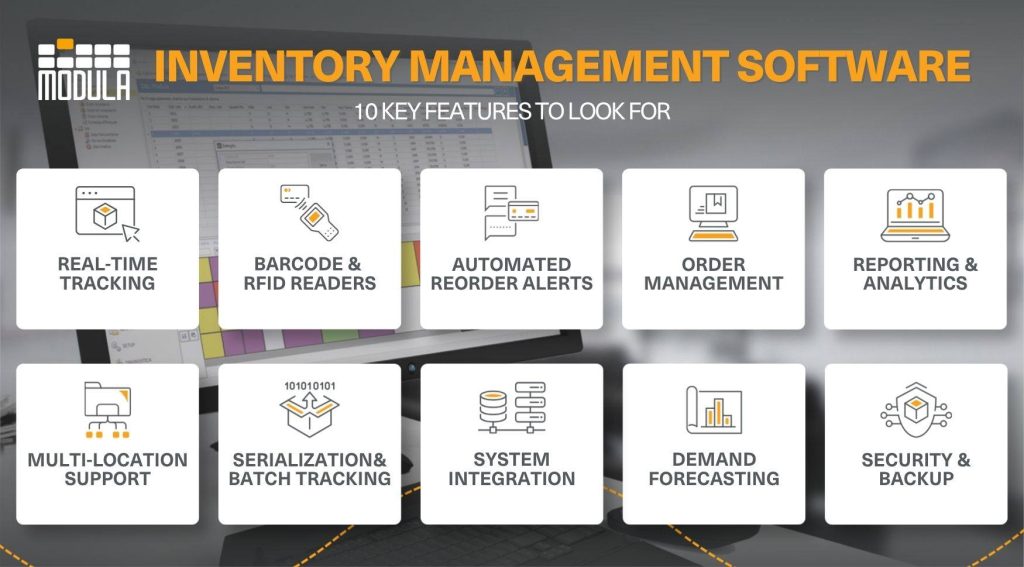
Inventory management software includes features that help businesses reduce errors, improve visibility, and make smarter inventory decisions. Here are some of the core features to look for:
Real-time Inventory Tracking
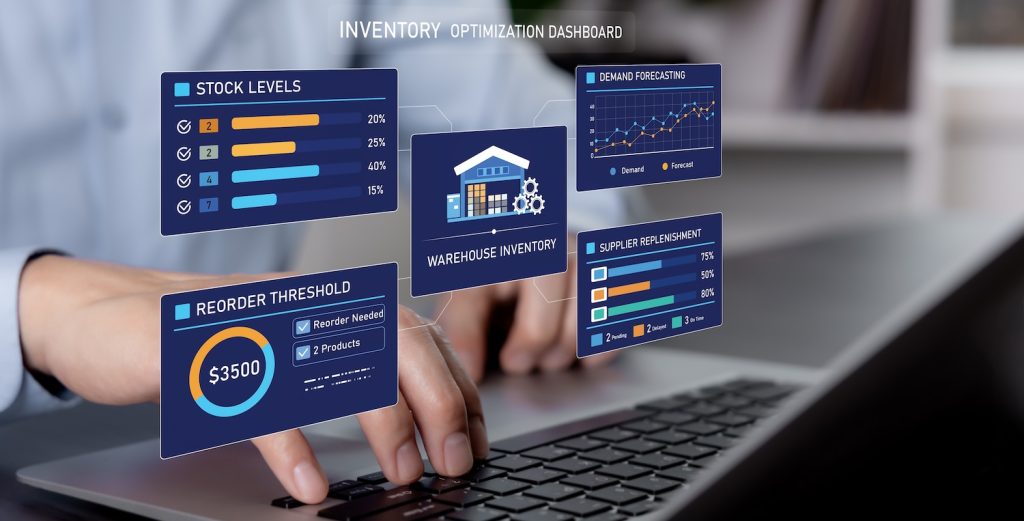
Real-time inventory tracking helps businesses monitor stock levels, product locations, and inventory movement across one or more warehouse locations.
This makes it easier to avoid stockouts, reduce overstocking, and maintain balanced inventory levels.
Barcode Scanning and RFID Tracking
These tools speed up everyday tasks like receiving, picking, and shipping. By integrating with your inventory management software, they reduce manual data entry and help minimize costly errors.
Automated Reordering and Alerts
Inventory management software can automatically trigger alerts when stock levels fall below set thresholds.
In some systems, these alerts can also support purchase order creation or replenishment workflows, helping teams avoid last-minute shortages.
Order Management and Fulfillment
A centralized inventory management software system oversees the full order lifecycle by tracking product availability, order status, and inventory movement.
In warehouse environments, this often connects with WMS, ERP, or eCommerce platforms to support order processing, fulfillment, and delivery coordination.
This functionality is becoming increasingly important. According to Fortune Business Insights, the Inventory Control and Tracking segment is projected to lead the inventory management software market in 2026, with a 31.02% share.
Detailed Reporting and Analytics
Built-in reporting and analytics help businesses understand inventory turnover, stock valuation, sales trends, and SKU performance.
These insights make it easier to identify slow-moving items, reduce excess inventory, and make more informed inventory decisions.
Multi-location and Channel Support
For organizations operating across multiple warehouses, fulfillment centers, or sales channels, modern inventory management systems provide a unified view of stock.
These platforms sync stock levels, orders, and inventory movements updated in real time, ensuring consistent and accurate data across all locations.
Serialization and Batch Tracking
Advanced inventory management software can track individual items, lots, or batches.
This is especially important for operations that manage expiration dates, warranties, quality control, recalls, or regulated products.
System Integration
Most inventory management software integrates directly with accounting tools and CRM platforms, automatically syncing financial data, customer records, and order details to keep all systems aligned.
Demand Forecasting
Using historical data, inventory management solutions can predict future demand, helping you plan inventory levels more accurately and avoid excess stock or shortages.
For instance, it can spot patterns in past sales and recommend when to restock certain products before demand spikes.
Security and Data Backup
A dependable inventory management system includes user permissions, data protection features, and automatic backups to keep your operations secure and running smoothly.
8 Inventory Management Processes Automated by Software
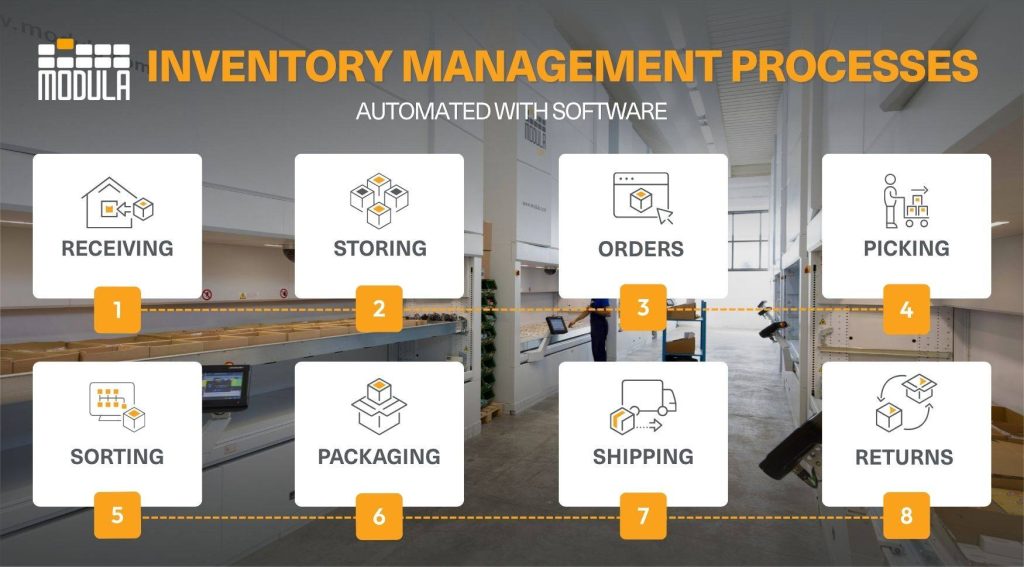
Advanced inventory management software, especially when integrated with a warehouse management system (WMS), helps automate warehouse workflows while keeping inventory data accurate and up to date.
Together, these solutions support receiving, storage, order fulfillment, shipping, and returns, giving businesses greater inventory visibility, improved accuracy, and more efficient warehouse operations.
Receiving
When inventory arrives, items are quickly scanned and logged into the inventory management system using barcode or RFID technology.
The software instantly verifies the received quantities against digital purchase orders (POs) and flags any discrepancies, damages, or shortfalls before the goods are moved to storage.
Storing
Once inbound items are validated, a WMS, working alongside inventory management software, can assign optimal storage locations based on warehouse slotting strategies, SKU velocity, and available space.
In automated storage systems, such as vertical lift modules (VLMs), software can also interact with the hardware to improve storage density.
For example, height-detection technology can measure items as they enter the system and assign them to an optimized storage position, helping make better use of cubic space.
When supported by the system configuration and warehouse strategy, high-velocity items can also be stored in ways that help reduce future retrieval times.
Order Processing
Orders are captured through integrations between inventory management software, the WMS, and business systems such as ERP platforms or eCommerce channels.
The WMS then validates stock availability in real time and prioritizes orders based on predefined business rules.
Picking
Picking is traditionally one of the most labor-intensive phases of warehousing.
This process is typically coordinated by a WMS, which works alongside inventory management software to guide picking activities and maintain accurate inventory records.
In traditional warehouses, the WMS can generate optimized walking paths, or pick paths, to help reduce the distance operators travel through physical aisles.
In automated warehouses, the workflow can be inverted through the goods-to-person principle. Instead of the operator walking to find the item, automated systems bring the correct storage tray directly to the operator.
The software coordinates equipment movements, helps reduce wait times, and can activate integrated visual aids, such as laser pointers, LED bars, or put-to-light systems, to guide the operator to the correct item or order location.
Sorting
After items are picked, the WMS directs them to the next stage of fulfillment while synchronizing inventory updates with the inventory management system.
Depending on the warehouse setup, this may include sorting items by order, routing totes or bins to the correct packing area, or consolidating items picked from different zones into a complete order.
This is especially useful in operations that use batch picking, multi-order picking, conveyors, picking carts, or put-to-light systems, where items need to be organized accurately before packing.
Packing
Packing workflows are typically managed by the WMS, while the inventory management system keeps stock records synchronized.
When they work together, they can help verify order accuracy and generate packing slips, shipping labels, and other required documentation.
Shipping
With connected inventory management solutions in place, shipping becomes much more streamlined.
The WMS coordinates shipping activities by integrating with carrier platforms to generate labels, schedule shipments, and send tracking updates.
On the other hand, the inventory management software automatically reflects inventory changes after orders are dispatched.
As a result, orders go out with real-time visibility, helping ensure accurate delivery timelines and clearer communication with customers.
Returns (Reverse Logistics)
When items are returned, the WMS manages the return workflow, while the inventory management system updates inventory records based on inspection outcomes.
Resellable products can then be quickly put back into circulation.
How To Choose the Right Inventory Management System
If you’re considering inventory management software solutions, it helps to first get a clear picture of your operational needs and how different tools can support them.
Define Your Requirements
Start by identifying your key challenges, whether it’s improving accuracy, scaling operations, reducing manual work, or automating warehouse workflows.
Understanding what inventory management looks like for your business helps you choose the right solution.
Evaluate Core Features
Look for inventory management tools that offer real-time tracking, reporting, automation, and integration capabilities.
The right inventory management system software should align with your day-to-day operations.

Check Integration Capabilities
Your inventory management system should connect with existing systems like ERP platforms, WMS software, eCommerce tools, accounting platforms, or other host systems.
Strong integrations help support smoother data flow across your business and reduce the risk of manual errors or disconnected information.

Consider Scalability
As your operations grow, your inventory management systems should be able to scale with you, supporting more SKUs, locations and order volumes without disrupting performance.

Assess Usability and Support
Choose inventory management software that’s easy to use and backed by reliable customer support to ensure long-term success and adoption.
The Best Inventory Management Software for Warehouses: Modula WMS
Choosing the right solution isn’t just about meeting today’s requirements. It’s about setting your operations up to scale efficiently as demand grows.
With Modula WMS, you get a fully integrated platform that brings together inventory control, hardware automation, and real-time visibility to keep your warehouse running at peak performance.
Modula Warehouse Management System
Modula WMS supports warehouse inventory management by helping businesses manage item data, inventory locations, warehouse transactions, and material movements from a centralized software platform.
The system communicates with Modula automated storage solutions and can integrate with ERP or other host systems to exchange essential data, such as item databases, order lists, and performance statistics.
To support different warehouse needs, Modula offers two warehouse management solutions:
Modula WMS Base: Designed for smaller warehouses or businesses looking for a scalable starting point.
Modula WMS Premium: A more advanced solution for businesses that need additional warehouse management, inventory control, traceability, and ERP integration capabilities.
Both platforms help businesses:
- Get a clearer view of where inventory is stored and how it moves through the warehouse
- Improve picking and replenishment accuracy to reduce costly errors
- Cut down on manual tasks and time-consuming paperwork

Take full control of your inventory with total visibility.

Modula Automated Storage Solutions
Inventory management software is most effective when it is connected to the physical workflows that move products through the warehouse.
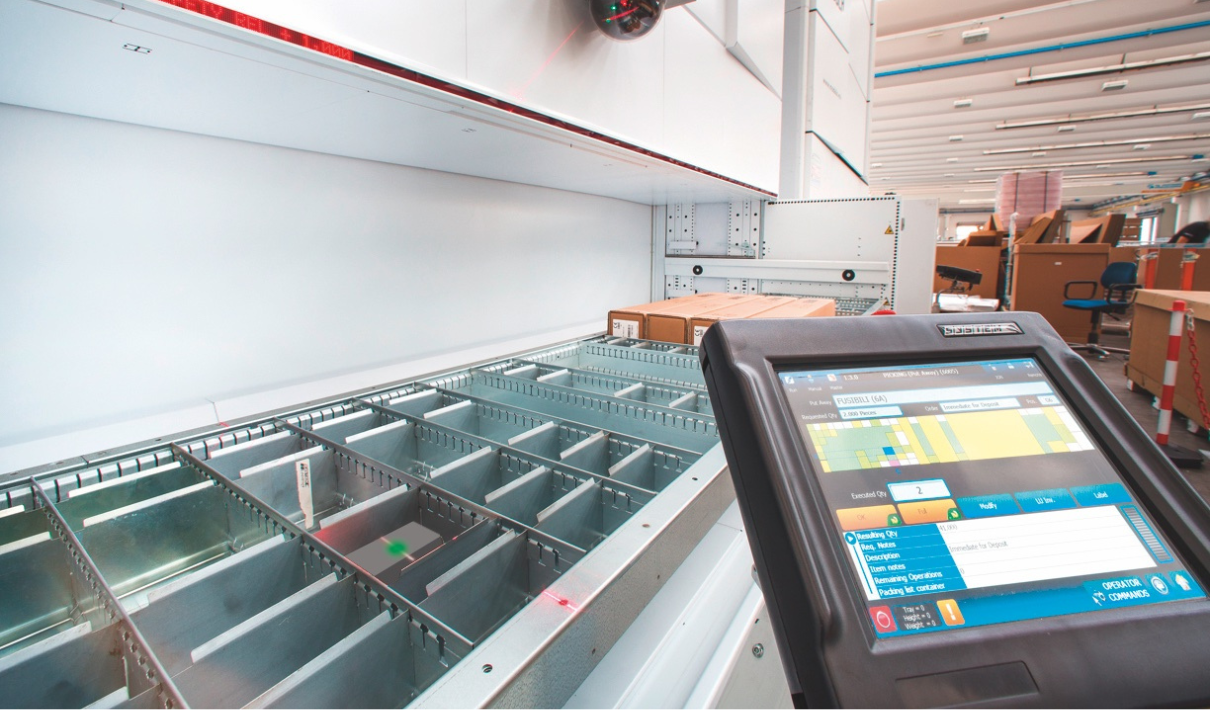
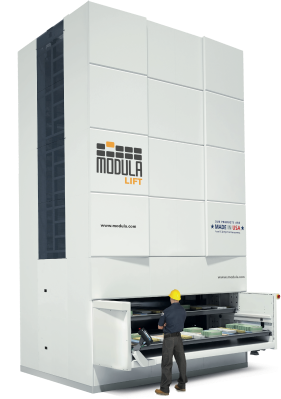
Modula automated storage solutions, such as Modula Lift and Modula Slim, help businesses store products vertically, reduce time spent searching for items, and bring inventory directly to the operator through goods-to-person workflows.
When combined with Modula WMS, these systems can help improve inventory accuracy, reduce picking errors, and make better use of available warehouse space.
Save Space by Going Vertical with Modula VLMs.
Modula IoT
Modula IoT supports more connected warehouse operations by giving businesses greater visibility into system activity, performance, and operational data.
Available with Modula WMS Premium, Modula Link, and Modula Driver, it includes two core tools:
- Modula Web Analytics: A remote monitoring and analytics platform that provides real-time insights into warehouse performance, system activity, machine status, and operational trends.
- OPC-UA Telemetry: A standardized data integration tool that allows Modula systems to share operational data securely with third-party platforms and plant systems.
Together, these tools help businesses monitor warehouse activity more closely, respond faster to operational issues, and make better decisions using live warehouse data.
Connect your Warehouse Operations
Inventory Management Software: Key Takeaways
- Inventory visibility is the foundation of better control: Inventory management software helps businesses track stock levels, item locations, orders, sales, and deliveries as they happen, making it easier to maintain the right inventory levels and reduce stock issues.
- Connected systems improve warehouse accuracy: When inventory software is connected with ERP platforms, WMS software, barcode scanning, and automation technologies, businesses can reduce manual work, improve picking and replenishment accuracy, and support smoother warehouse operations.
- The right solution depends on your warehouse needs: Basic inventory management tools may be enough for simple operations, but warehouses with higher SKU counts, multiple locations, or automation needs may require a more advanced WMS or integrated software platform.
Warehouse Inventory Management: FAQs
What is inventory management software?
An inventory management software provides real-time visibility into stock levels,item locations, orders, sales, and deliveries.
This helps businesses maintain optimal inventory levels, avoid stockouts, and improve overall operational efficiency.
What is inventory management?
Inventory management is the process of receiving, tracking, auditing, and managing goods in your warehouse.
When managed effectively, it helps businesses meet customer demand while keeping storage costs under control and avoiding issues like stockouts or excess inventory.
Inventory management vs. warehouse management: what is the difference?
While inventory management focuses on controlling stock levels, inventory movement, and product availability, warehouse management focuses on running an efficient warehouse as a whole.
Here’s a side-by-side look at what sets them apart.
| PRIMARY FOCUS | MANAGING STOCK LEVELS & MOVEMENT | OVERSEEING OVERALL WAREHOUSE OPERATIONS |
| Key Activities | Forecasting demand, ordering, receiving, allocating and tracking inventory | Storing, picking, packing, transporting and shipping goods |
| Objective | Maintain optimal inventory to meet demand without overstock or stockouts | Maximize efficiency and accuracy in warehouse workflows |
| Tools Used | Inventory management systems (IMS), demand planning software | Warehouse management systems (WMS), barcode/RFID scanners and automation tools |
| Managed By | Purchasing or inventory managers, or supply chain managers | Warehouse, logistics or operations managers |
| Scope | Covers raw materials, components and finished goods across multiple locations | Focuses on physical handling and storage within the warehouse |
| Goal | Cost control, stock accuracy and demand fulfillment | Operational efficiency, lower handling costs and improved order fulfillment speed |