Inventory Tracking Software [How It Works + Top Features]
Most warehouses eventually encounter situations where it’s unclear whether a product is in stock, in transit, or already allocated to an order.
Multiply that uncertainty across thousands of SKUs, and it’s easy to see how stockouts, overstocking, and picking errors quietly eat into your margins.
Inventory tracking software fixes that blind spot.
Instead of relying on manual counts or updated spreadsheets, you get a real-time view of what you have, where it’s stored, and when it’s time to reorder, whether you’re running a single stockroom or a multi-warehouse operation.
In this article, we will:
- Break down what inventory tracking software does
- Understand how it differs from a full warehouse management system (WMS)
- Cover the features and types worth knowing about
- Share how to choose the right fit for your business
- Explore the measurable impact the right inventory tracking software can have on accuracy, costs, and decision-making
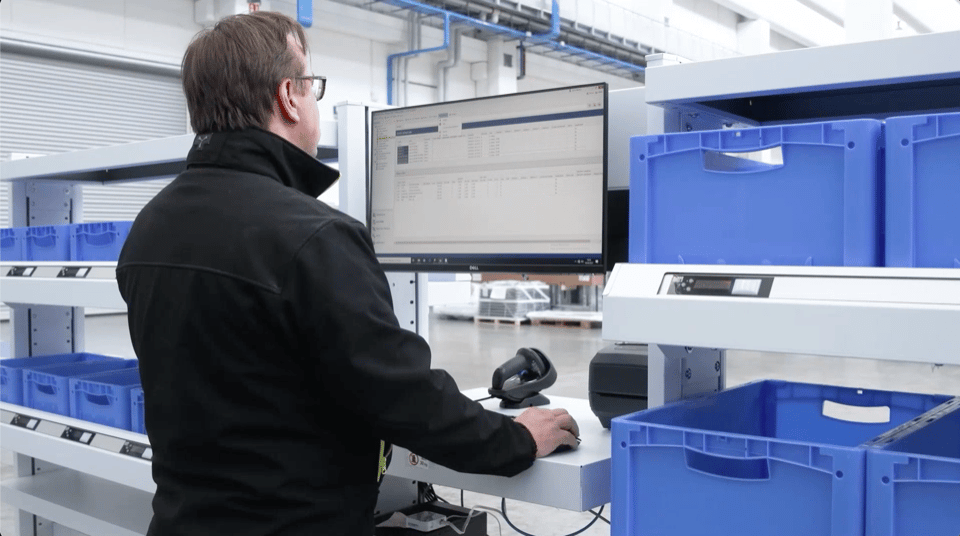
Get the visibility you need to keep your warehouse operating at its best.
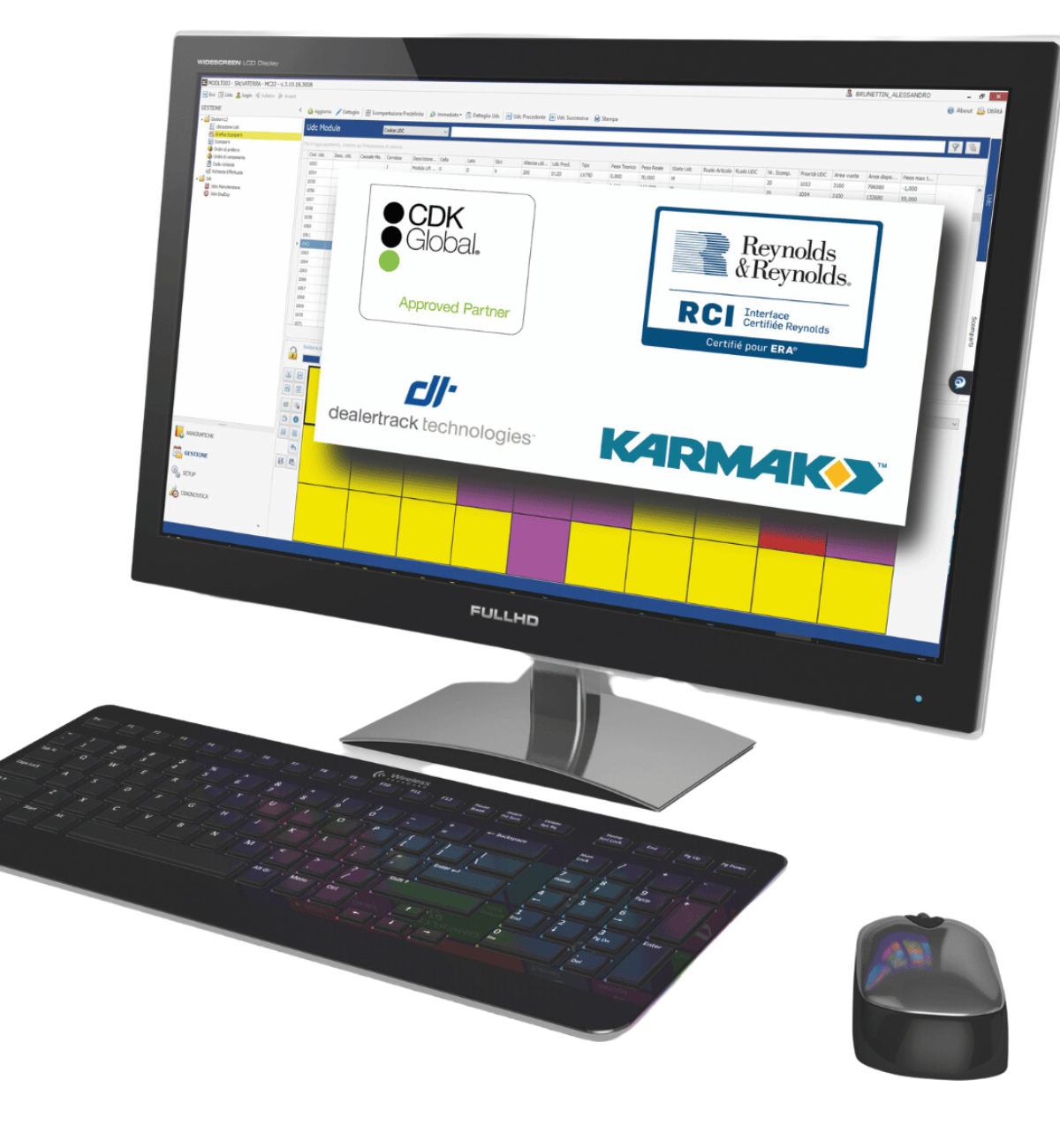
Inventory Tracking Software Explained
Inventory tracking software helps businesses monitor inventory levels, product locations, and stock movements across one or multiple facilities.
Inventory tracking focuses on knowing what inventory you have, where it is located, and how it moves throughout your operation.
Inventory management goes a step further by helping businesses plan replenishment, optimize stock levels, forecast demand, and manage purchasing decisions. Many inventory management platforms include inventory tracking as one of their core capabilities.
The right inventory tracking software depends on your operational requirements.
Some businesses need a simple application to monitor stock levels, while others require a more comprehensive solution that integrates inventory tracking with warehouse operations and other business systems.
Inventory Tracking Software vs. WMS: What Is the Difference?
Inventory tracking software and warehouse management systems (WMS) both improve inventory visibility, but they serve different purposes.
Here’s a side-by-side comparison:
| Feature | Inventory Tracking Software | Warehouse Management System (WMS) |
|---|---|---|
| Primary goal | Monitors inventory levels, locations, and movements | Optimizes warehouse operations and inventory flow |
| Location tracking | Tracks inventory across warehouses or storage locations | Tracks inventory at the bin, shelf, rack, or storage location level |
| Location tracking | Tracks inventory across warehouses or storage locations | Tracks inventory at the bin, shelf, rack, or storage location level |
| Workflow | Supports basic inventory management and stock control | Manages receiving, put-away, picking, replenishment, packing, and shipping workflows |
| Automation support | May integrate with barcode scanners and basic tracking tools | Supports warehouse automation, directed workflows, and integration with AS/RS, conveyors, AMRs, and other material handling systems |
| Ideal for | Small-to-medium businesses with simple inventory needs | Larger operations with complex workflows and high SKU volumes |

Discover how our WMS gives you real-time visibility into your warehouse operations.

How Warehouse Inventory Tracking Works
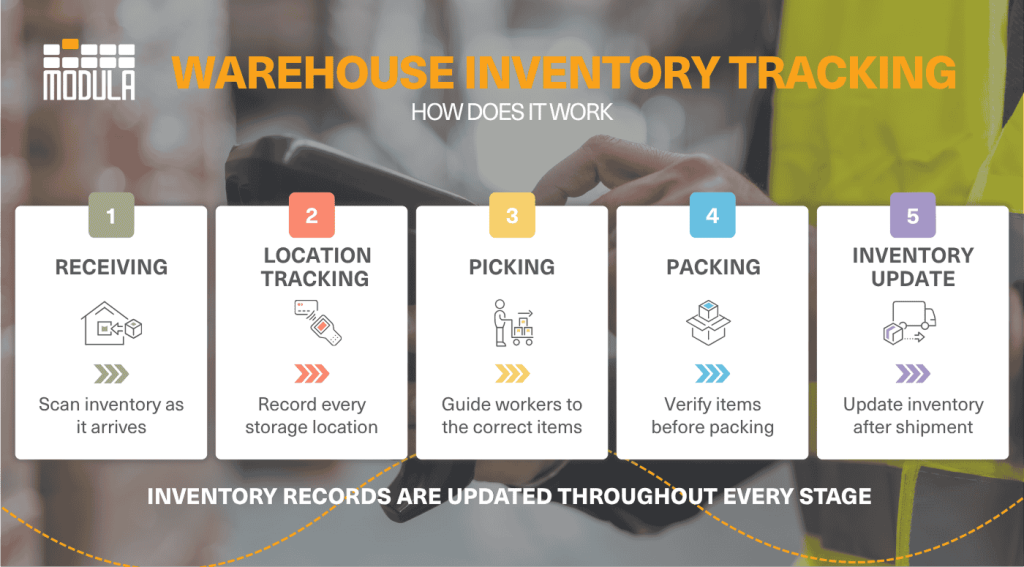
Warehouse inventory tracking gives you an up-to-the-minute view of where every item is, how it moves through your facility, and how much stock you have on hand.
It leverages tools like barcode scanners, RFID, mobile devices, inventory tracking software, or
WMS to capture inventory movements and maintain accurate inventory records.
Receiving and putaway
As inventory arrives, workers scan each item and the system logs it automatically. If the software supports directed put-away, it can also recommend the most appropriate storage location.
Location Tracking
Every bin, shelf, and pallet has a digital location. Anytime inventory is moved, the system updates instantly, so workers always know where to find it.

Picking and packing
When an order comes in, the WMS can help optimize picking routes, helping workers locate the right products quickly and accurately. If you’re not sure what a WMS actually is, we cover that in detail in our warehouse management system guide.
Shipping and dispatch
Before products leave the warehouse, they’re typically scanned one last time. The system updates stock levels immediately, keeping inventory accurate across every sales channel.
When integrated with automated storage systems such as Vertical Lift Modules (VLMs) or other AS/RS technologies, inventory movements can also be recorded automatically during storage and retrieval.
This further improves inventory accuracy while reducing manual data entry.
Key Features of an Inventory Tracking System
Think of an inventory tracking system as the control center for your warehouse.
Instead of guessing what’s in stock or where it’s stored, you have a clear, bird’s-eye view of your inventory, with stock levels updating automatically as products move through your operation.
The result is fewer stockouts, less overstock, and a smoother operation overall.
Here are the features that matter most:
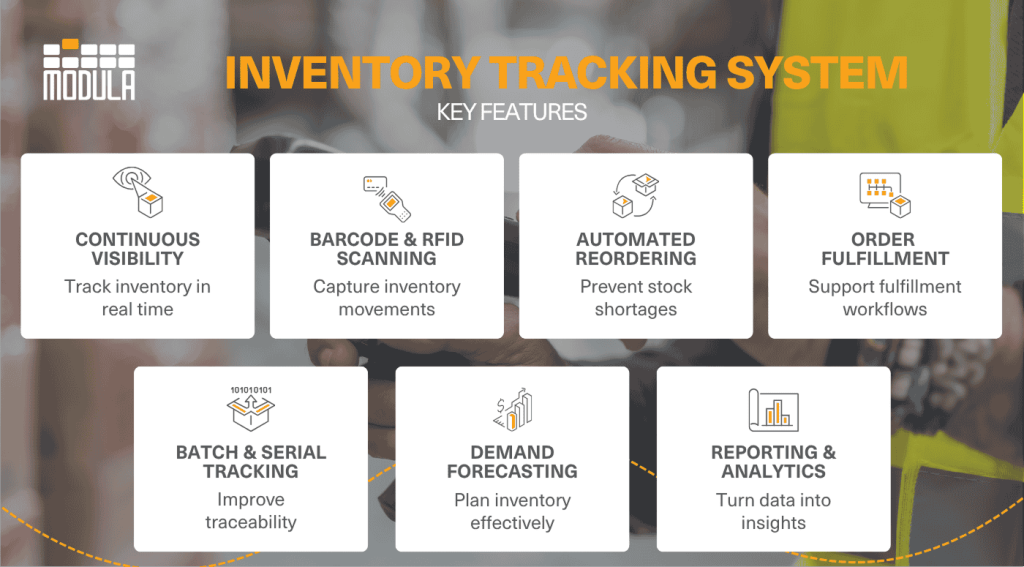
Continuous Inventory Visibility
Track inventory as it’s received, moved, picked, and shipped. This provides real-time visibility into what’s in stock and where it’s located, whether it’s in a specific aisle, shelf, or warehouse.
Barcode and RFID Scanning
Speed up receiving, picking and shipping with quick scans that automatically update inventory records, minimizing manual data entry and costly errors.
Automated Reordering
Many inventory management platforms allow users to set minimum stock levels and generate purchase orders when inventory runs low, helping prevent stockouts without constant monitoring.
Order and Fulfillment Management
Keep orders moving efficiently by connecting inventory with your picking, packing, and shipping workflows across multiple sales channels.
Batch and Serial Number Tracking
Track individual products or production lots for faster recalls, warranty claims, quality control, and regulatory compliance.
Demand Forecasting
Some inventory management platforms include demand forecasting tools that analyze historical sales and inventory data to forecast demand, helping you maintain optimal stock levels while avoiding excess inventory.
The payoff can be significant.
A recent study found that AI-driven demand forecasting reduced excess inventory by 30% for one retailer, while helping an eCommerce business increase sales by 20% during a peak promotion by preventing stockouts.
Reporting and Analytics
Turn inventory data into actionable insights with dashboards that track key performance indicators like inventory turnover, carrying costs, and fulfillment performance.
This makes it easier to identify bottlenecks and improve operations.
4 Types of Inventory Tracking Software
Not all inventory tracking software is built the same. Different solutions are designed to meet different business needs.
Here are some of the most common categories:
By Tracking Method
Perpetual Inventory Systems
Perpetual inventory systems update stock levels automatically whenever inventory is received, moved, or sold.
Since they provide real-time visibility, they’re the standard for most modern cloud-based inventory platforms.
Periodic Inventory Systems
Periodic inventory systems update stock records at scheduled intervals, such as weekly or monthly, rather than after every transaction.
They rely on physical inventory counts and are best suited for businesses with simpler inventory requirements.
By Deployment or Functionality
Cloud-Based Inventory Management
Cloud-based systems store data online, enabling real-time access across multiple locations.
They integrate with eCommerce platforms, ERPs, and accounting tools, making them ideal for multi-site operations or remote teams
POS-Integrated Inventory Software
These solutions connect directly to a point-of-sale (POS) system, automatically updating inventory whenever a sale is completed.
They’re typically used by retail stores, restaurants, and other customer-facing businesses.
Warehouse Management Systems (WMS)
While simple tracking software monitors stock levels and locations, a warehouse management system (WMS) serves as an advanced enterprise system.
It manages complex operational workflows such as directed put-away, order picking, inventory replenishment, and automated material handling integration.
By Tracking Technology
Barcode Inventory Systems
Barcode systems leverage handheld scanners or mobile devices to capture inventory movements quickly and accurately. They offer an cost effective way to improve inventory accuracy, while reducing manual data entry.
Radio Frequency Identification (RFID) Inventory Tracking
RFID readers utilize wireless tags that can be scanned without direct line of sight, allowing multiple items to be tracked simultaneously.
This technology is well suited for businesses managing large inventories or high-value assets.
Warehouse Automation Integration
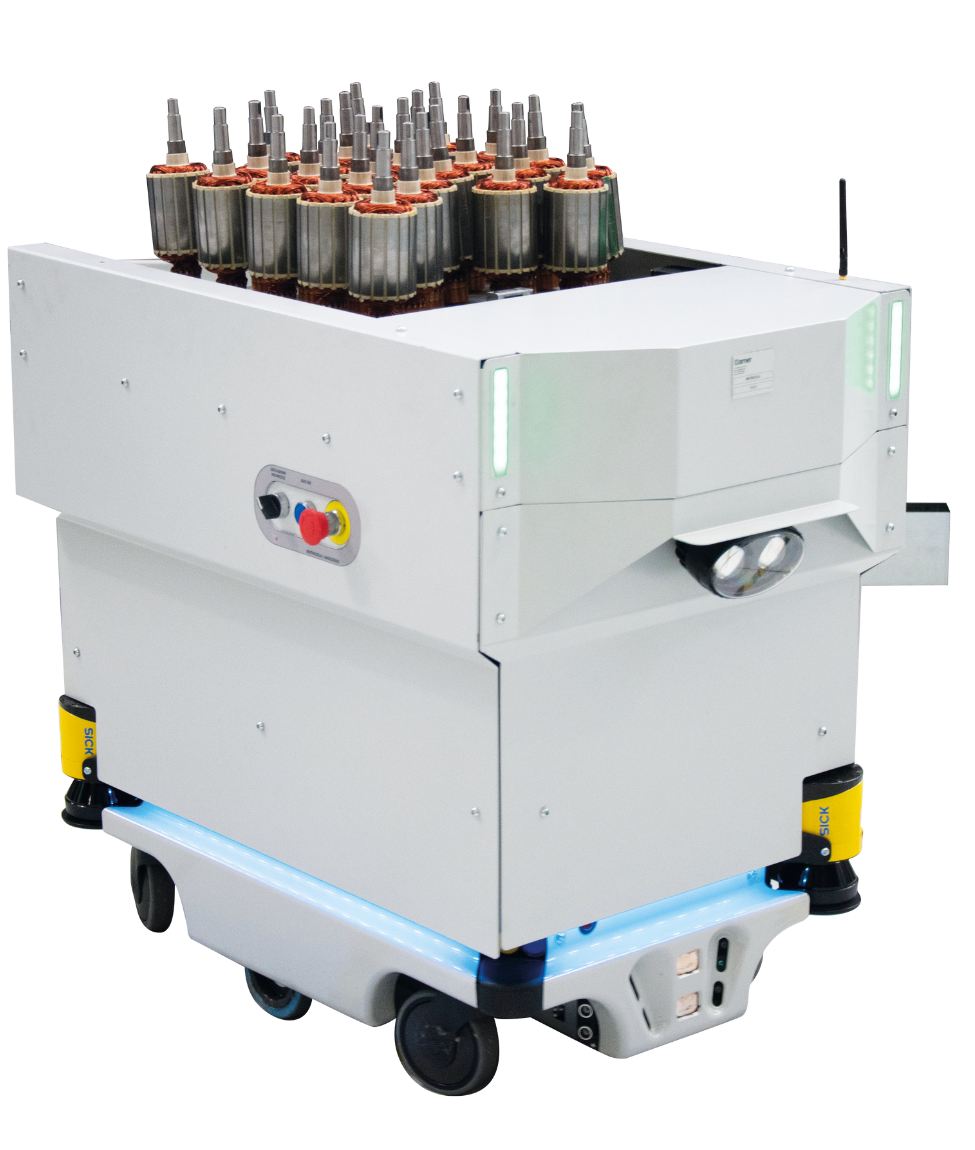
Advanced inventory tracking software can integrate with automated storage and retrieval systems (AS/RS), Vertical Lift Modules (VLMs), conveyors, and autonomous mobile robots (AMRs), automatically recording inventory movements during storage and retrieval operations.
Spreadsheet-Based Tracking
Small operations with low SKU counts may record stock manually using tools like Microsoft Excel or Google Sheets.
While low-cost, spreadsheets lack automation, real-time syncing, and operational scalability
By Inventory Management Strategy
Just-in-Time (JIT) Inventory Systems
Systems with JIT capabilities track stock velocity to help ensure inventory is replenished only as needed for production or order fulfillment, reducing holding costs and warehouse footprint.
Want to see how this plays out in a real warehouse setting? Check out our guide on just-in-time inventory management for modern warehouses.
Material Requirements Planning (MRP)
Designed primarily for manufacturers, MRP modules combine inventory tracking with bill-of-materials (BOM) data to schedule production, manage raw material stock, and align purchasing with operational schedules.
| Category | Type | Best For |
|---|---|---|
| Tracking Method | Perpetual Inventory Systems | Businesses that need real-time inventory visibility |
| Periodic Inventory Systems | Small operations with low inventory turnover | |
| Deployment & Scope | Cloud-Based Inventory Management | Multi-site operations, remote access, and system integrations |
| POS-Integrated Inventory Software | Retail stores and customer-facing businesses | |
| Warehouse Management System (WMS) | Complex warehouse operations and workflow optimization | |
| Tracking Technology | Barcode Systems | Cost-effective, accurate inventory tracking |
| RFID Tracking | High-volume or high-value inventory | |
| Warehouse Automation Integration | Automated warehouses using AS/RS, VLMs, conveyors, or AMRs | |
| Spreadsheet-Based Tracking | Small businesses with simple inventory needs | |
| Inventory Strategy | JIT Support | Lean operations with frequent replenishment |
| MRP | Manufacturing and production planning |
Top Benefits of Using Inventory Tracking Programs
Inventory tracking programs do more than keep stock organized. They also help improve efficiency, reduce costs, and support better business decisions.
Some of the biggest benefits include:
Improved Inventory Visibility
An inventory tracking program gives you complete visibility into inventory levels, locations, and movements across one or multiple warehouses.
With accurate, up-to-date information at your fingertips, it’s easier to respond to changes in demand, avoid stockouts, lower excess inventory, and fulfill orders more accurately.
The results can make a real difference. In fact, research shows that businesses adopting live inventory tracking consistently improve inventory performance.
A recent study found that businesses using real-time inventory tracking reduced average stockout rates from 12% to 7% and overstock rates from 18% to 12%, with the biggest improvements seen in the fashion and grocery retail industries.
Faster Replenishment
Set reorder points and low-stock alerts to replenish inventory before it runs out. Many systems can also automate purchase orders, helping maintain optimal inventory levels with less manual effort.
Lower Inventory Carrying Costs
Keep inventory at optimal levels to avoid unnecessary storage, handling, insurance, and financing costs.
Maintaining the right amount of stock also frees working capital, while minimizing the risk of obsolete or expired inventory.
Over time, even small improvements in inventory planning can translate into significant cost savings.
A recent case study found that applying optimized replenishment models reduced inventory costs by 33% for the manufacturer’s applicable components compared to its existing approach.
Greater Accuracy and Traceability
Monitor lot numbers, serial numbers, expiration dates, and product movements throughout the supply chain.
This simplifies audits, supports regulatory compliance, and speeds up product recalls when necessary.
Better Data for Decision-Making
Track key metrics like inventory turnover, sales trends, demand patterns, and slow-moving stock through customizable reports and dashboards.
For instance, if a product consistently sells every month while another item sits on the shelf for weeks, you can adjust reorder quantities to reduce stockouts and avoid tying up cash in excess inventory.
How To Choose the Right Inventory Tracking Software
With so many inventory tracking software solutions available, finding the right one can feel overwhelming.
Focusing on your business needs first can help you narrow your options and choose software that supports both your current operations and future growth.
Assess Your Business Requirements
Start by evaluating your current inventory processes and where they’re falling short.
Consider the number of SKUs you manage, your order volume, warehouse locations, sales channels, and any recurring challenges, such as stock discrepancies, manual data entry, or inventory shortages.
Identifying these needs upfront makes it easier to choose software with the right features for your business, whether that’s basic inventory tracking or a more advanced solution.
Identify the Features You Need
Make a list of the features that will have the biggest impact on your daily operations. Common capabilities include:
- Real-time inventory tracking
- Barcode or RFID scanning
- Low-stock alerts and automated reordering
- Lot and serial number tracking
- Inventory reporting and analytics
- Mobile access
- Multi-location inventory management
Prioritize the features your business will actually use rather than paying for functionality you don’t need.
Consider Integration Capabilities
Inventory tracking software should work seamlessly with the systems you already use.
Look for integrations with your eCommerce platform, accounting software, ERP, CRM, shipping providers, and POS system to reduce manual data entry and keep inventory synchronized across your business.
Wondering how WMS integration plays out in real warehouses? Our WMS integration guide breaks down how it connects with your existing tech stack
Choose Software That Can Scale
Your inventory needs will most likely change as your business grows.
Choose software that can support additional users, warehouses, sales channels, and product lines without requiring you to switch platforms later.
A scalable solution can save time and reduce implementation costs in the long run.
Evaluate Ease of Use
Even the most powerful software won’t deliver value if it’s difficult to use.
Look for an intuitive interface, mobile accessibility, and a short learning curve to help employees adopt the system quickly and minimize training time.
Compare Pricing and Total Cost
Don’t focus solely on the subscription price.
Consider the total cost of ownership, including implementation, training, hardware (such as barcode scanners), integrations, ongoing support, and future upgrades.
A solution with a higher upfront cost might provide greater long-term value if it improves efficiency and reduces manual work.
Review Customer Support and Reviews
The software is only as good as the company behind it.
Read customer reviews, explore case studies, and look for vendors with experience serving businesses like yours.
Also, evaluate the quality of their onboarding, technical support, training resources, software updates, and security practices.
A reliable provider can help you implement the system faster, minimize downtime, and ensure the software continues to meet your needs as your business grows.
Test the Software Before You Purchase It
Take advantage of free trials and product demos to see how the software performs in your day-to-day operations.
Test it using your own inventory data and workflows to evaluate its ease of use, reporting capabilities, integrations, and overall performance.
You’ll also be able to spot any gaps or limitations before making a long-term commitment.
How Modula WMS Supports Warehouse Inventory Tracking
As warehouse operations become more complex, having real-time visibility alone isn’t always enough.
Modula WMS combines inventory tracking with warehouse management capabilities, helping improve accuracy and streamline processes such as receiving, put-away, picking, replenishment, and shipping.
To support different warehouse needs, Modula offers a wide range of software solutions:
- Modula WMS: A complete warehouse management system that provides continuous inventory tracking, location management, order processing, reporting, and integrations with ERP, DMS, and other business systems.
- Modula Driver: Allows you to connect Modula vertical lift modules (VLMs) to your existing warehouse management system, so you can automate storage without replacing your current software.
- Modula Link: Connects Modula VLMs with ERP systems and warehouse management systems, and other business software to keep inventory data synchronized and warehouse operations running smoothly.
Explore how Modula optimizes warehouse management with instant tracking and control.
Connect Your Warehouse Systems With Modula Software Integrations
Modula Software Integrations can also help businesses connect their automated storage systems with existing ERP, WMS, and DMS platforms, making it easier to keep warehouse operations running smoothly.
With seamless data sharing and automated processes, teams can manage inventory more efficiently, reduce manual work, and improve overall productivity.
Modula also provides proprietary integration tools and dedicated technical support to help businesses implement and maintain a solution that fits their operational needs.
Inventory Tracking Software: Key Takeaways
- Inventory tracking software gives you better visibility into your inventory, helping reduce stockouts, overstocking, and manual work
- The best solution depends on your business. Basic inventory tracking software works well for simpler operations, while a WMS is better suited for larger warehouses and more complex workflows.
- Choose software that fits your needs today and can grow with your business. Look for the right features, integrations, scalability, and support to maximize long-term value
Inventory Tracking Software: FAQs
Is inventory tracking software only for large businesses?
Not at all. Businesses of all sizes can benefit from inventory tracking software.
Small businesses often use software for tracking inventory to reduce manual work and improve inventory accuracy, while larger organizations rely on advanced features like barcode scanning, multi-location inventory management, and workflow automation.
How do I know if I need inventory tracking software?
If you’re spending too much time updating inventory manually, experiencing frequent stockouts or overstocking, or struggling to keep track of inventory across multiple locations, it might be time to invest in inventory tracking software.
The right software for tracking inventory can automate routine tasks, improve inventory accuracy, and give you better visibility into your stock.
Can inventory tracking software integrate with the tools I already use?
In many cases, yes.
Most inventory tracking software integrates with popular business systems, including ERP platforms, accounting software, eCommerce platforms, warehouse management systems (WMS), and point-of-sale (POS) systems.
These integrations help keep inventory data synchronized, reduce manual data entry, and streamline daily operations.