Order Management System: How It Works & Key Features
An order management system (OMS) helps businesses manage customer orders, track inventory availability, and coordinate fulfillment from purchase to delivery.
Every order comes with a series of tasks, from checking inventory and choosing a shipping location to picking, packing, and updating customers. Spreadsheets and separate tools might work when orders are manageable, but as volume increases, so does the risk of delays and errors.
And online sales aren’t slowing down. In fact, the U.S. Census Bureau reported that online sales hit $340.2 billion in the second quarter of 2026, up 12.2% from the same period last year. That’s now 17.1% of all retail sales in the U.S.
An OMS brings order information and fulfillment processes together, giving your team a clearer picture of what’s selling, what’s available, and where orders stand across different sales channels.
In this guide, we will:
- Explain how an OMS works and outline its key features.
- Compare an OMS with a WMS and ERP, and explain what to consider when choosing a system.
- Explore how an OMS integrates with automated warehouse solutions to improve order fulfillment.

Order Management System (OMS) Explained
An order management system (OMS) is a centralized software solution that helps businesses manage and track customer orders from purchase to final delivery. It connects order processing, inventory tracking, and fulfillment operations in one place, giving your team a clear view of every stage of the order lifecycle.
By keeping inventory information up to date and coordinating fulfillment activities, an OMS helps businesses reduce errors, avoid delays, and process orders more efficiently.
With up-to-date information on product availability, order status, and shipping progress, businesses can:
- Make faster, more informed decisions
- Improve operational efficiency
- Deliver a more reliable customer experience
From Checkout to Delivery: How an Order Management System Works
An OMS makes it easier to manage orders, track inventory, and coordinate fulfillment across all sales channels. From the moment a customer places an order until it reaches its destination, the system helps keep the process organized and provides visibility into each stage.
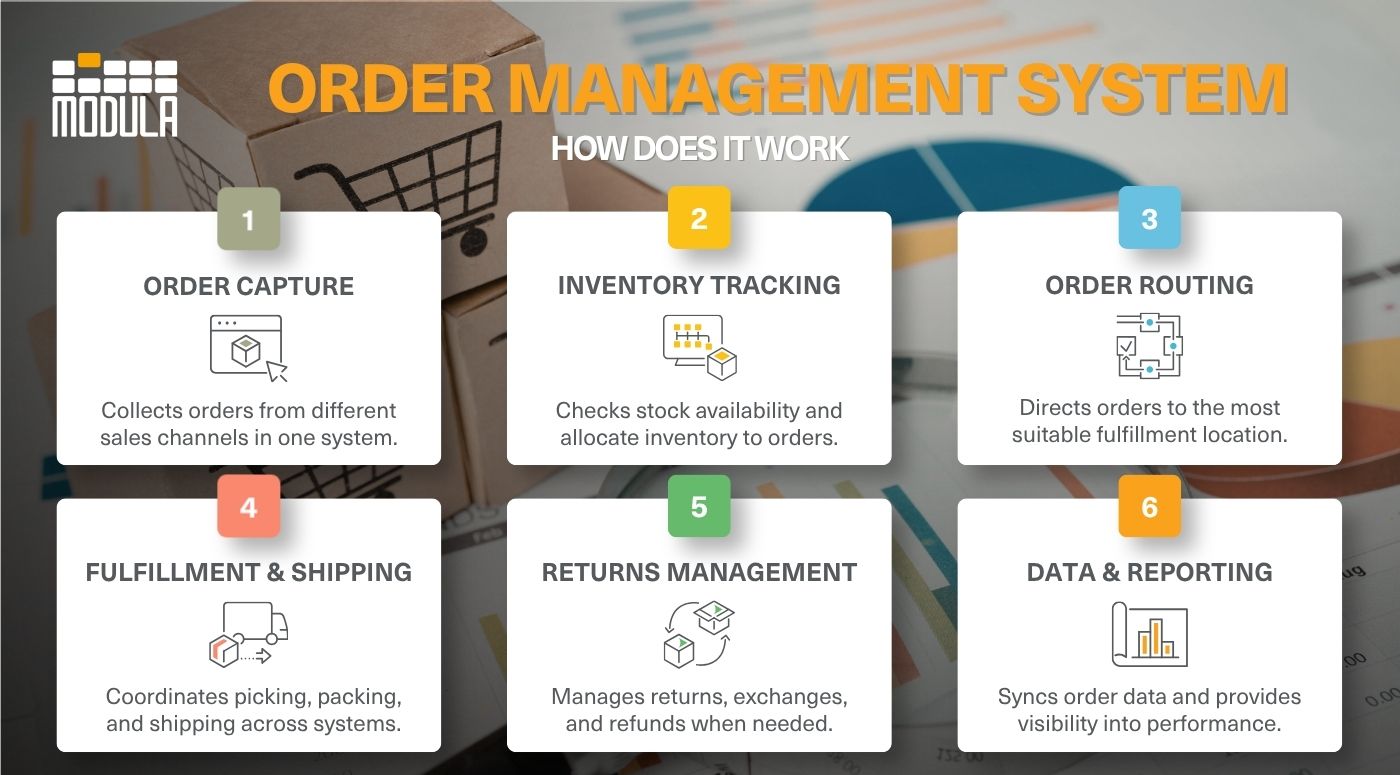
Here’s how the process works:
Order Capture
When a customer places an order through your website, marketplace, or physical store, the order management system automatically collects the details in one centralized system. This eliminates the need to manually track orders across different platforms.
Inventory Tracking and Allocation
The order management system checks available stock across warehouses, stores, and fulfillment partners. It then reserves the necessary inventory, helping prevent overselling, stockouts, and order cancellations.
Order Routing
Once inventory is confirmed, the OMS directs the order to the most suitable fulfillment location based on factors such as stock availability, shipping costs, and delivery speed.
Order Fulfillment and Shipping
The order management system works with warehouse or fulfillment systems to coordinate picking, packing, and shipping. This helps keep the pick and pack process organized, decrease errors, and get orders ready for shipment faster. As orders progress through fulfillment, the OMS receives status updates from connected systems and can communicate shipping information to customers.
Returns and Exchanges
The process doesn’t end at delivery. When customers request returns or exchanges, the order management system can help manage approvals, coordinate refunds, and update inventory records to keep everything accurate.
Data Synchronization and Reporting
Throughout the order lifecycle, the OMS shares data with integrated systems, such as accounting, inventory management, and CRM software. This gives your team better visibility into sales, customer activity, and fulfillment efficiency.
Top Features of an Order Management System (OMS)
Not all order management systems work the same way. So, how do you know which one is right for your business?
Here are key features worth looking for:
Inventory Management Integration
An OMS keeps inventory data in sync across warehouses, online stores, and physical locations. Combined with effective warehouse inventory management practices, it gives your team an accurate view of stock availability across different sales channels.
When integrated with a WMS, the OMS can also receive inventory updates from warehouse operations, helping keep order information accurate.
Customer Communication Tools
A great customer experience doesn’t end at checkout. An order management system makes it easier to keep them in the loop with automated order confirmations, shipping notifications, and delivery updates.
With up-to-date tracking information, customers can check their order status whenever they want, without having to reach out to your support team.
Automated Order Routing
Not every order needs to ship from the same location. An order management system with automated routing can select the most suitable warehouse or fulfillment center based on inventory availability, delivery distance, and shipping costs.
Once an order arrives at the warehouse, efficient order picking methods help teams prepare it for shipment with fewer errors.
Customizable Workflows
Your order management process should fit the way your business operates. With a customizable OMS, you can set up workflows for tasks like order approvals, customer verification, and priority fulfillment based on your specific needs.
Flexible Payment Processing
Giving customers more ways to pay can make checkout easier. However, managing those transactions shouldn’t add to your workload.
An OMS can integrate with payment processing and accounting systems to support different payment methods, deposits, partial payments, and invoicing. Depending on the platform, it can also help track refunds and payment records, reducing manual administrative work.
Returns Management
A return doesn’t have to mean a complicated process for your team or your customers. An OMS simplifies returns by helping you manage requests, track returned items, process refunds, and update inventory.
Scalability
More orders, new sales channels, and additional fulfillment locations are all signs of a growing business. But can your current system keep up? A scalable OMS gives you the flexibility to handle increasing demand without disrupting your operations.
Reporting and Analytics
An OMS should give you more than just order updates. With reporting dashboards, you can see how your business is performing, from sales trends and fulfillment times to inventory turnover and order accuracy.
These insights can help you identify delays, understand demand patterns, and improve order management processes.
Multichannel Integration
Your customers might shop on your website, browse your products on social media, or place orders through online marketplaces. An OMS brings orders and inventory data from these channels into one system, reducing the need to switch platforms or update records manually.
When Do You Need Order Management Software?
As your business grows, keeping up with orders, inventory, and fulfillment across multiple sales channels can get complicated. Manual processes that once worked might start slowing you down, leading to costly errors and unhappy customers.
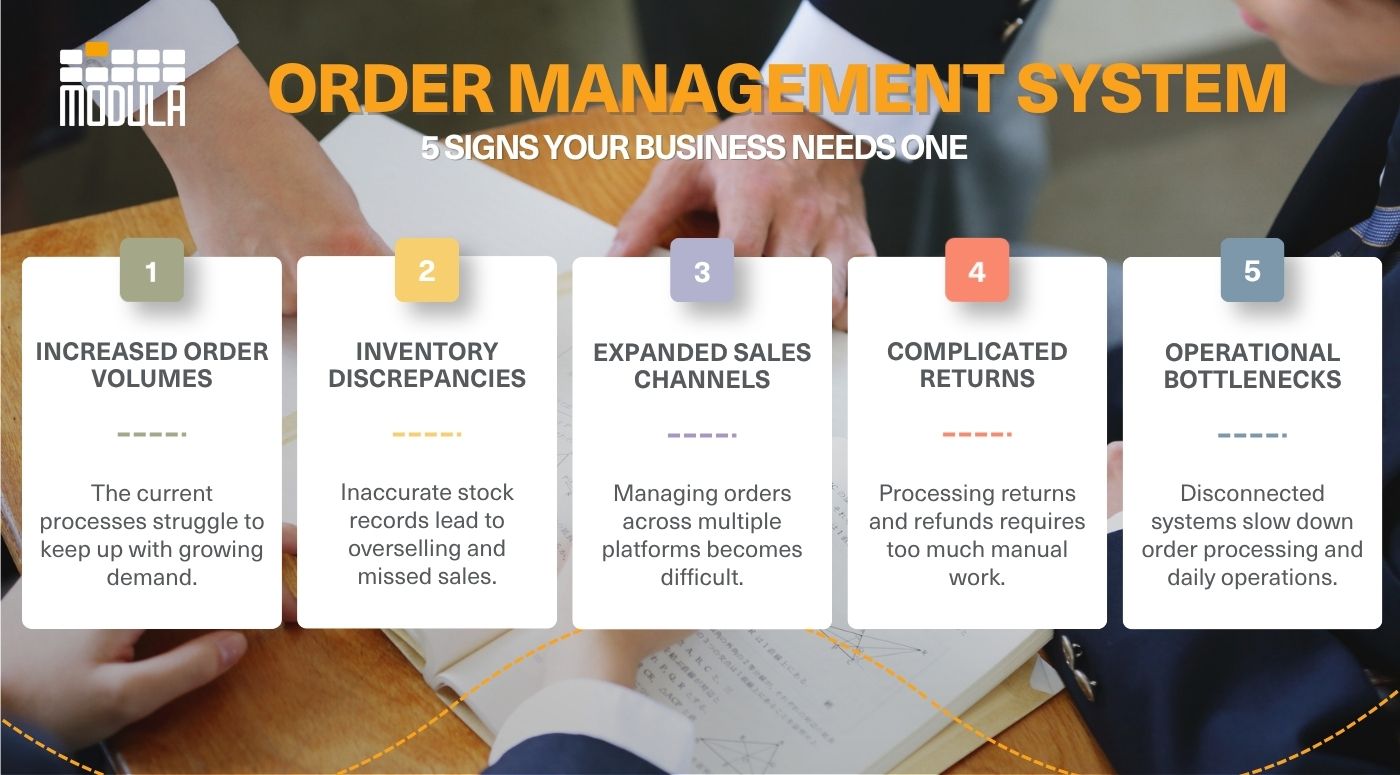
Here are five signs it might be time to implement order management software:
- Increasing order volumes: Your business is processing more orders than your existing workflows can efficiently handle, resulting in longer processing times, manual errors, and fulfillment delays.
- Frequent inventory discrepancies: Limited visibility into stock availability leads to overselling, stockouts, excess inventory, and missed sales opportunities.
- Expanding sales channels: You’re selling across multiple eCommerce platforms, online marketplaces, or physical stores, making it challenging to maintain consistent inventory data and coordinate orders.
- Complicated returns and exchanges: Managing returns, refunds, and product exchanges requires excessive manual effort, slowing down resolutions and affecting the customer experience.
- Operational bottlenecks that limit growth: Disconnected systems, repetitive administrative tasks, and inefficient order workflows make it harder to scale operations without increasing costs.
OMS vs. WMS: What’s the Difference?
An order management system (OMS) and a warehouse management system (WMS) might sound similar, but they handle different parts of the order fulfillment process.
While an OMS manages customer orders from purchase through delivery, a WMS manages the inventory and operational activities within the warehouse.
Here’s a closer look at how they compare:
| Feature | Order Management System (OMS) | Warehouse Management System (WMS) |
|---|---|---|
| Primary focus | Manages customer orders throughout their lifecycle | Manages inventory and warehouse operations |
| Order processing | Captures and processes orders across sales channels | Manages order execution within the warehouse |
| Inventory visibility | Tracks stock availability across locations | Tracks inventory quantities, locations, and movements |
| Fulfillment management | Routes orders to the best fulfillment location | Manages picking, packing, and shipping |
| Warehouse operations | Monitors order fulfillment status | Manages receiving, put-away, storage, and replenishment |
| Inventory tracking | Helps prevent overselling and stockouts | Tracks storage locations, lot numbers, and serial numbers |
| Customer management | Supports order updates, returns, and customer communications | Focuses on warehouse operations rather than customer interactions |
| Automation | Automates order routing and status updates | Supports warehouse automation, picking technologies, and barcode scanning |
OMS vs. ERP: What’s the Difference?
An order management system (OMS) and an enterprise resource planning (ERP) system serve different purposes, although their functions can overlap.
An OMS focuses on managing customer orders, from order capture and inventory availability to fulfillment coordination, shipping updates, and returns.
An ERP manages broader business operations, including finance, accounting, procurement, production planning, and inventory management. Many ERP platforms also include order management capabilities.
When integrated, an OMS and ERP can exchange order, inventory, and financial information, helping businesses maintain consistent data across departments and coordinate order fulfillment more efficiently.
What Is an Omnichannel Order Management System?
An omnichannel order management system (OMS) connects orders, inventory, fulfillment, and returns across all your sales channels in real time. Unlike traditional multichannel systems that manage channels separately, it centralizes operations.
How To Find the Right Order Management System (OMS) That Fits Your Business Needs
An OMS might look great on paper, but will it actually make your team’s job easier? That’s what matters most. Look beyond the feature list and consider how well the system fits your operations, connects with your tools, and supports your plans for growth.
Here are five things to consider before making your decision:
Review Your Current Order Management Process
Before exploring software options, take a closer look at how your team handles orders from checkout to delivery.
Where do delays happen? Which tasks take the longest?
For instance, if your team spends hours manually updating order statuses, look for an OMS that automates tracking and customer notifications.
Check Integration Capabilities
Your OMS should connect with the tools you already use, including:
- Shopify or WooCommerce
- Enterprise resource planning (ERP) software
- Warehouse management systems (WMS)
- Point-of-sale (POS) systems
- Shipping carriers
Look for native integrations or API connectivity to avoid unnecessary manual data entry.
Prioritize Real-Time Inventory Visibility
When you’re selling across multiple channels, keeping track of what’s in stock can get tricky. And, getting it wrong can be costly. According to IHL Group, out-of-stocks and overstocks cost retailers $1.77 trillion globally, equivalent to 6.5% of global retail sales.
That’s why it’s worth looking for an OMS that keeps inventory levels updated across your warehouses, physical stores, and online marketplaces. For example, if a customer buys the last item in your store, your website should automatically reflect the change.
Look for Automated Order Routing
Not every order needs to be shipped from the same warehouse. A well-designed OMS can determine the best location to fulfill each order based on available stock, shipping costs, and delivery times.
For example, if you have warehouses in different regions, the system can route an order to the most suitable location based on inventory availability, shipping costs, and delivery times. This can help reduce shipping expenses and improve delivery speed.
That speed matters to your customers. DHL’s 2026 eCommerce Trends found that 92% of global shoppers expect fast, free delivery and easy returns.
Think About Future Growth
Your OMS should be able to keep up as your business grows.
Look for a system that can handle seasonal demand, new sales channels, and additional fulfillment locations without major changes. As order volumes increase, you might also want to explore warehouse automation to make picking and fulfillment easier. Cloud-based or modular systems can offer the flexibility to support these changes.
How an OMS Works With Modula’s Warehouse Solutions
Managing orders is one thing. Getting them picked, packed, and shipped efficiently is another. That’s where Modula comes in.
Your OMS can connect with Modula’s automated storage solutions through software integrations with your existing ERP or WMS. Once an order is released, the information flows directly to the warehouse without manual data entry or paper pick lists.
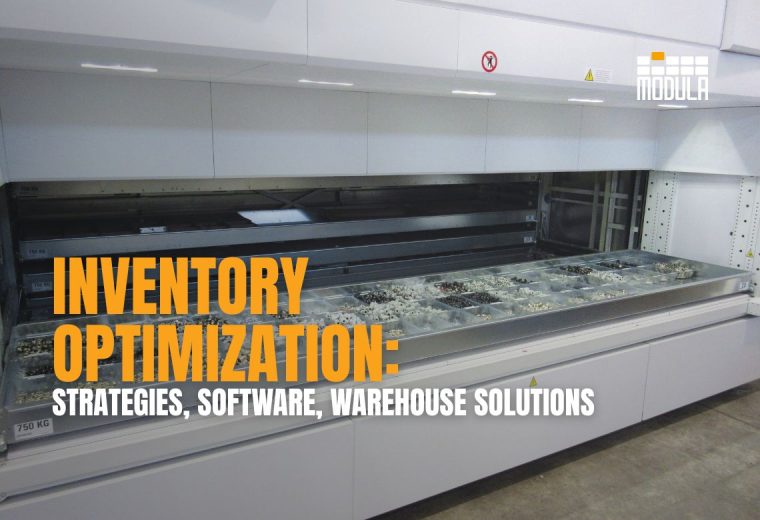
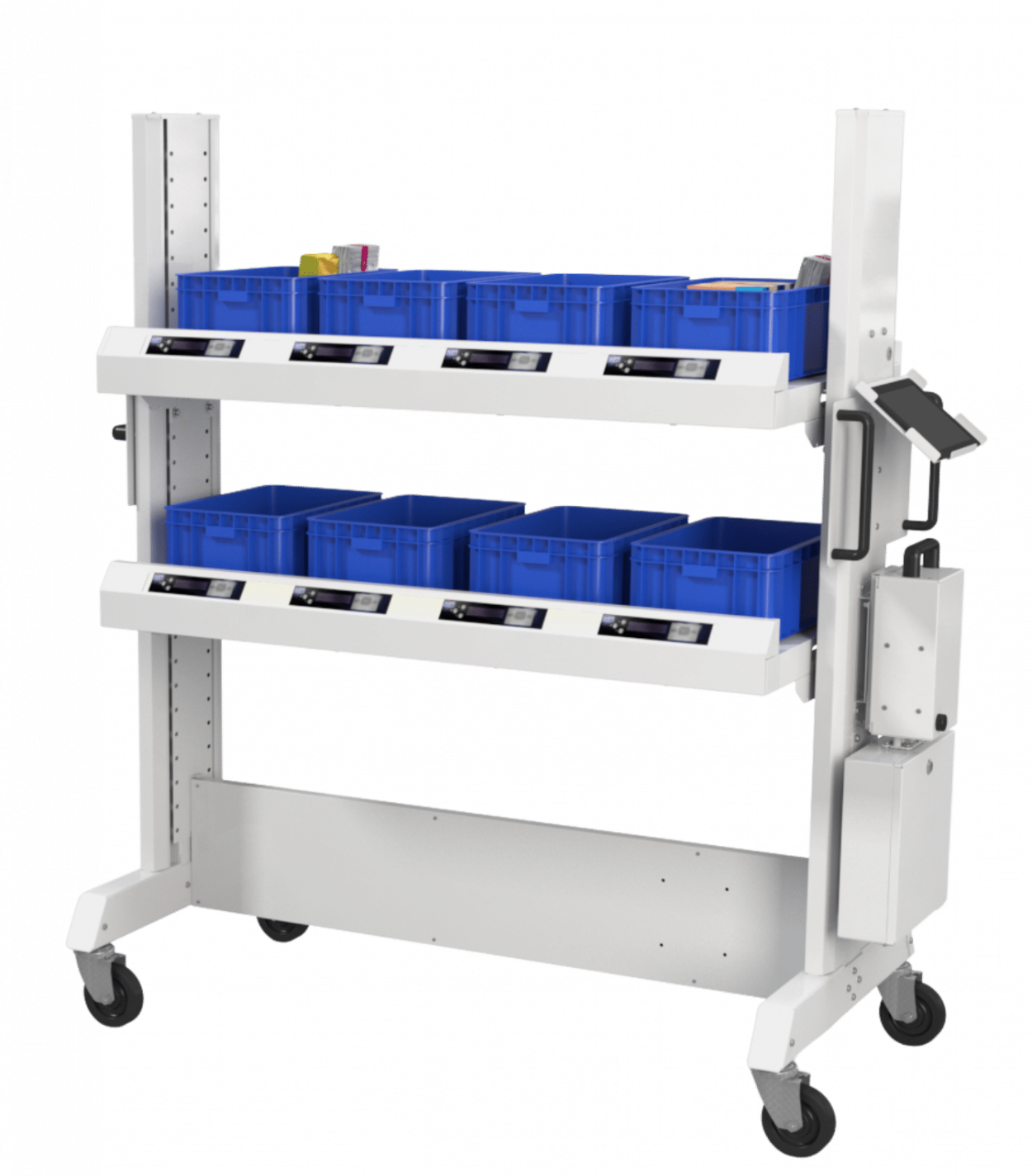
From there, Modula WMS manages inventory locations, organizes picking tasks, while Modula’s vertical lift modules automatically deliver trays containing the required items to operators.
This helps minimize picking errors, limit unnecessary movement, and get orders ready for shipment faster.
The connection works both ways. As picks are confirmed, inventory records are updated and shared with connected systems. This offers your team a clearer picture of stock availability and order progress.
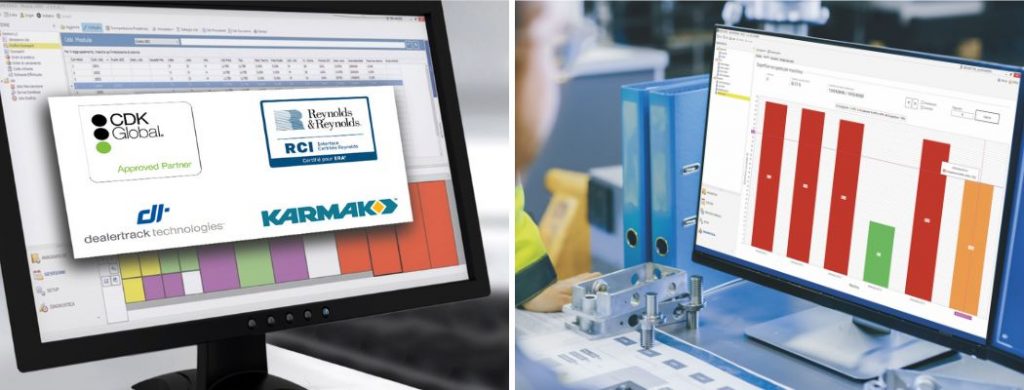
Whether you’re operating a single unit or managing a larger automated warehouse, Modula’s solutions can adapt as order volumes increase. With Modula Web Analytics, you can also monitor warehouse performance remotely, identify areas for improvement, and keep fulfillment operations running efficiently.
Order Management System: Key Takeaways
- An OMS keeps everything connected: From processing orders and tracking inventory to shipping and returns, it brings everything into one place, helping your team stay organized and avoid costly mistakes.
- The right features can make a big difference: Look for an OMS that works with your existing tools, automates repetitive tasks, and can handle more orders as your business grows.
- A smoother order process starts in the warehouse: Connecting your OMS with warehouse solutions like Modula can help reduce picking errors, speed up fulfillment, and keep inventory records accurate.
OMS System: FAQs
What is an OMS?
An order management system (OMS) is software that helps businesses manage and track customer orders from the moment they’re placed until they’re delivered, and even after the sale.
It brings order processing, inventory tracking, fulfillment, and returns together in one place, making it easier to keep everything organized.
Can an OMS integrate with my existing business software?
Yes. Many OMS platforms integrate with eCommerce platforms, ERP software, WMS, and shipping carriers.
This keeps order and inventory data connected, reducing manual work and errors.
Is an OMS only for large businesses?
Not at all. Small and growing businesses can also benefit from an OMS, especially when handling orders across multiple sales channels.
It helps simplify daily operations and manage increasing order volumes without adding unnecessary complexity.
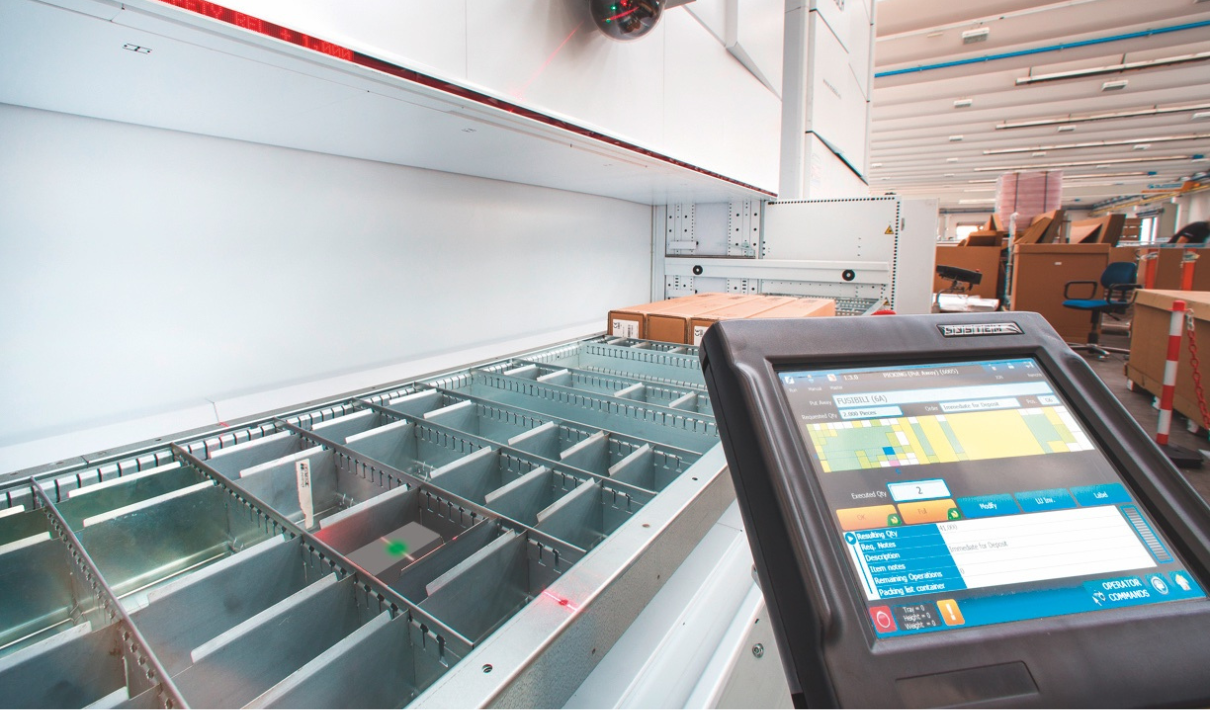
Pick orders faster with Modula WMS and the Modula Lift.